Work you choose
Big bets start with a hypothesis about what the product should become. Confidence Loop gives you the user evidence up front, so you can start exploring with the relevant issues and observations already in hand.
Confidence Loop turns session recordings, analytics, support tickets, and error logs into concrete fixes. It investigates, builds, and proves each one, with your hands on the wheel.






Confidence Loop helps with both kinds of product work: the bets you choose and the fixes your users point to.
Big bets start with a hypothesis about what the product should become. Confidence Loop gives you the user evidence up front, so you can start exploring with the relevant issues and observations already in hand.
Paper cuts, recurring errors, stale docs, small missing features. Confidence Loop notices these, investigates them, and fixes more of them over time, so your team can spend its time on the bets.
Every failed action, error log, support chat, and feature request tells you something about your product. One ticket is easy to dismiss. Twelve tickets, a sales call, and an error spike about the same screen show you exactly where the product falls short.
That evidence is spread across the help desk, Slack, the error tracker, and call recordings. Someone has to see it, connect it, figure out the cause, and decide what to change. Most teams don’t have that attention to spare, so the small fixes wait, and users keep running into them.
Confidence Loop takes each problem from user signal to observation, issue, investigation, and improvement. Every step keeps a link back to the user evidence behind it, so you can always see why the loop did what it did.
01
An observation is a single, concrete fact about your product taken from a user signal: a bug, a feature request, a usability problem, or a pain point. Confidence Loop reads each signal, extracts the observation, and keeps the original excerpt and source attached. Nobody has to watch every session recording or comb through every dashboard to find what matters.
02
An issue is a group of observations that point to the same underlying problem. When ten users get stuck on the same step across session recordings, analytics events, and support tickets in your warehouse, Confidence Loop groups them into one issue with all ten pieces of evidence. You prioritize one problem with its full weight of evidence, instead of ten scattered complaints.
03
For each issue, an agent gathers the evidence, looks at the relevant parts of the product, and works out the likely cause. It proposes a next step: a code change, a design change, a docs fix, or escalation to a product owner. Design changes come with wireframes of the options. The diagnosis is done before anyone picks up the issue.
04
When the fix is clear and your autonomy settings allow it, Confidence Loop builds the change with Confidence Code, Cursor, or Claude Managed Agents and sends it for review. The evidence chain stays attached, so a reviewer can trace the change back to the users who hit the problem.
Yes. Confidence Loop works with BigQuery, Databricks, Redshift, and Snowflake, and can use any data in your warehouse as a signal source: product events, error tables, churn and cancellation reasons, NPS responses, survey results.
Confidence already computes experiment results directly in your warehouse. Confidence Loop works the same way, so there’s no new pipeline to build and no data to copy into another tool.
Confidence Loop asks for a decision when there's more than one reasonable fix, or when a small change could affect something larger. You get the problem, the evidence, the investigation, and the options in one place, and you make the call.
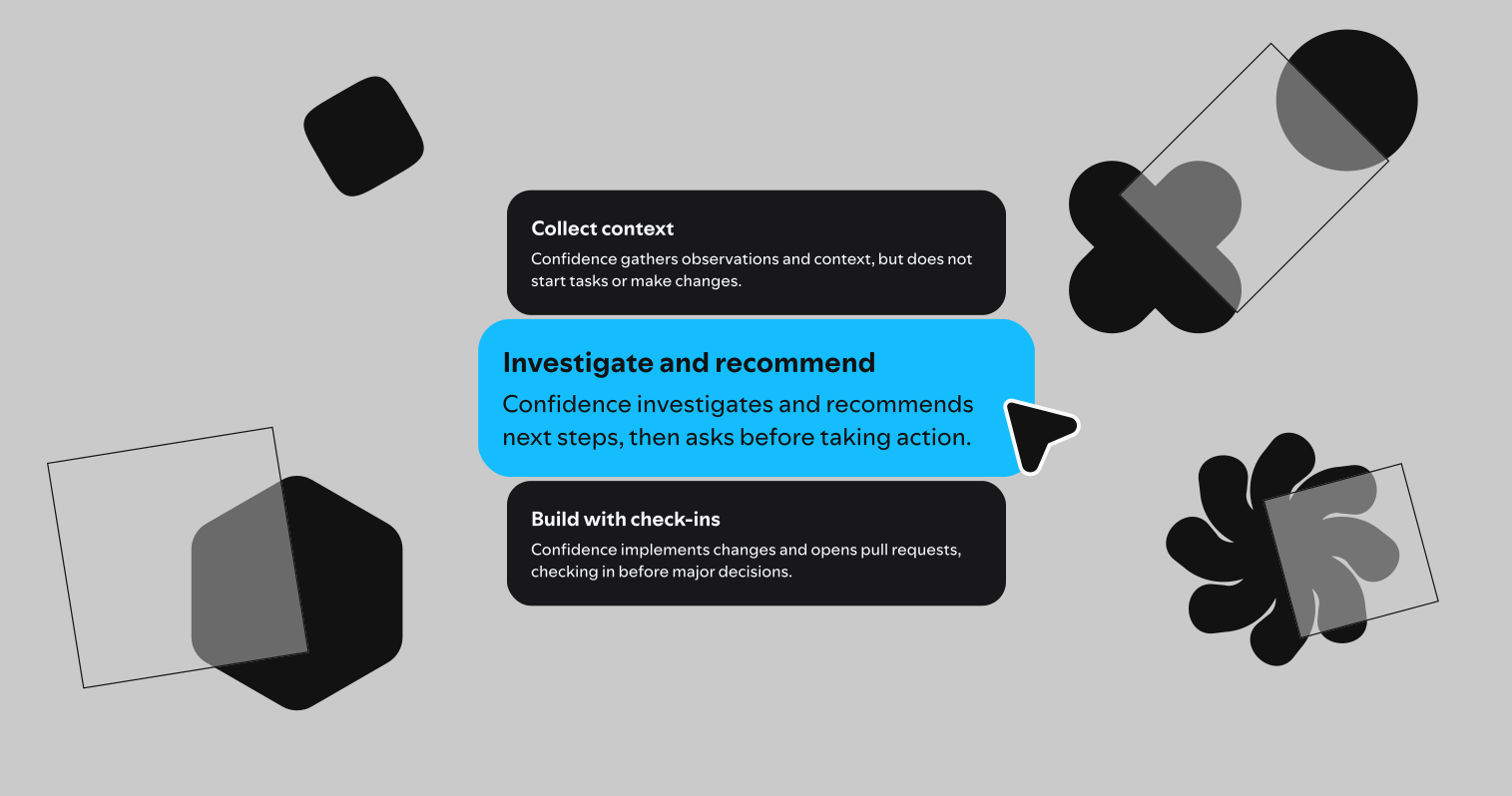
You choose how far the loop runs. Start at Collect and see which issues the loop surfaces. Raise the level as it proves reliable on your product.
01
Surfaces issues for your team to work on.
02
Diagnoses issues and proposes solutions.
03
Builds fixes and sends them for review.
04
Closes the loop from signal to shipped fix.
Confidence Loop runs on the same platform as your A/B tests, feature flags, and metrics. An experiment tells you whether the metrics you chose moved.
After the rollout, Confidence Loop picks up what those metrics don’t track: the sessions where users get stuck, the error events, the support tickets in your warehouse. What it finds becomes evidence for the next hypothesis.

Confidence Loop turns signals from real users into product understanding and improvements, with teams choosing how much of the loop runs autonomously.

Discovery and delivery are no longer sequential phases. AI collapsed the build phase, and now the teams winning are the ones with the tightest loops.