

Clients resolve flags to decide which experience to serve to a user. Common
types of clients are mobile apps, websites, and backend services. A set of
rules define what variant to assign to which users in what situations. The
resolver evaluates the rules and decides which variant to return to the client
using data in the evaluation context. The evaluation context is data about the
user, such as their country, age, or subscription status, and the environment
the client is running in, such as the browser type. The client feeds the
context to the resolver in the resolve request. If the context meets a rule’s
targeting condition, the client receives the variant specified in the rule.
Flag Anatomy
A flag has a name and a value. In Confidence, the flag value is a structure with named properties. Think of it as a JSON object. This makes it possible to control multiple aspects of the behavior of a client with a single flag. Flags have a schema that describes the structure of the value: available properties and their data types. Variants give a name to a value of the flag which defines a possible behavior of the thing the flag is controlling. Imagine a flag that controls the various aspects of Spotify’s home screen. The flag has a name,home-screen, and the value has properties:
- The size of the title (
title-font-size). - Show the settings button or not (
show-settings). - Show shortcuts or not (
show-shortcuts). - Number of shortcuts to show (
shortcut-count).
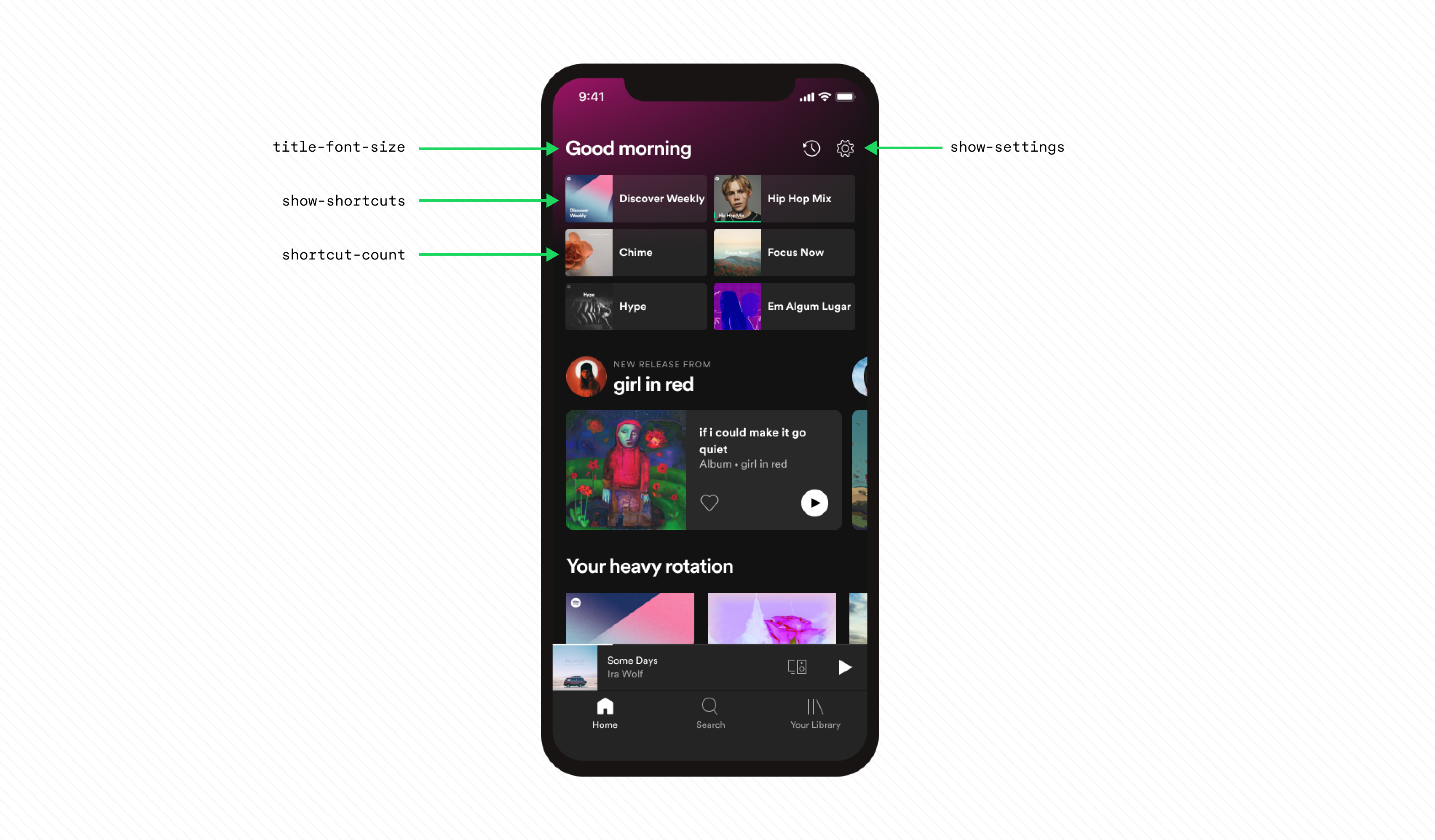
The flag has two variants:
default and large-title. The default variant
has the following values:
The
large-title variant has the following values:
With the flag and its variants in place, a client can resolve the flag to a
value. For example, a website can resolve the flag to the
large-title
variant, and show a large title, hide the settings button, and show six
shortcuts.
When you use a flag to control an experience, the flag is applied and the
client emits a flag applied event. The resolver writes flag applied events, in
the form of assignment decision records, to a data warehouse for later use in
analysis of experiments.
Client Types
Resolving a flag to a value and applying the flag value to control an experience are two distinct operations. The type of client decides when these operations happen.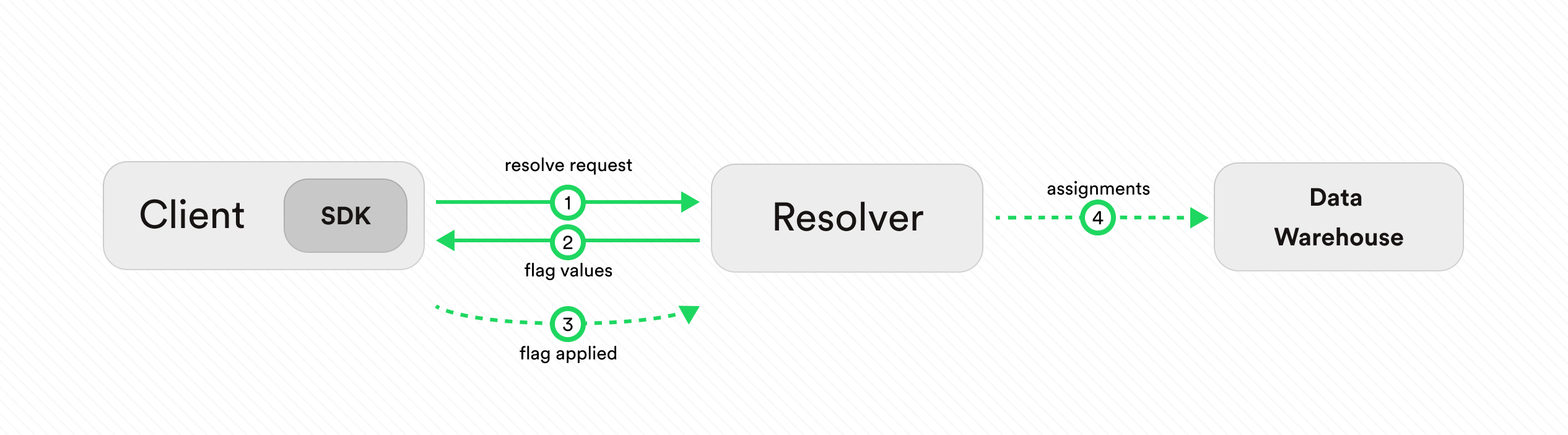
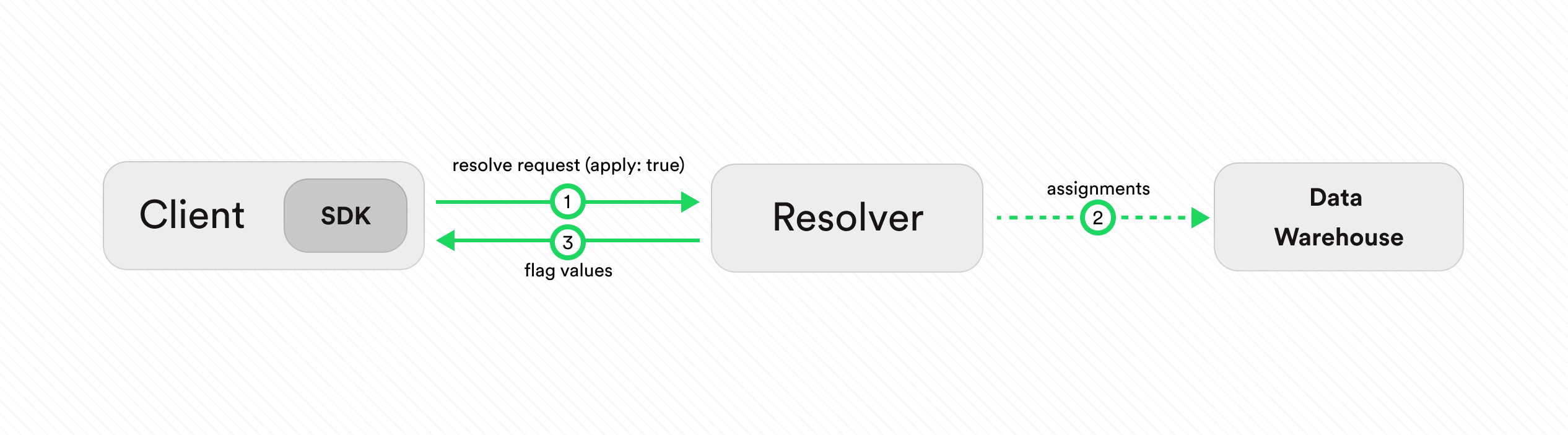
apply: true) in the resolve request to Confidence to
apply the flag as the client resolves it (1, 3). As a consequence, the resolver
writes a flag applied event to a data warehouse for later use in analysis of experiments
(2).
If you are using one of Confidence Flags SDKs then you don’t have to worry
about the details of the resolve and apply operations. The SDKs take care of
this for you.
Learn more about the concepts of Confidence Flags: