

Data That Confidence Persists
The information that you pass to the resolver is:- A unique ID to randomize on.
- A context with information to use for targeting. For example,
countryoris_employee.
- The number of resolves and the timestamp of the last resolve.
- The number of applies and the timestamp of the last apply.
- The names of the fields available in the context. The values of the fields in the context are never stored.
- The ID used for randomization.
- The context used in the resolve.
- The name of the flag.
- The name of the rule that determined what variant to give.
- The name of the variant that the user was exposed to.
Managed Resolver
If you use the managed resolver, Confidence operates the flag resolver for you. The following figure gives more details on how data flows through Confidence Flags in this case.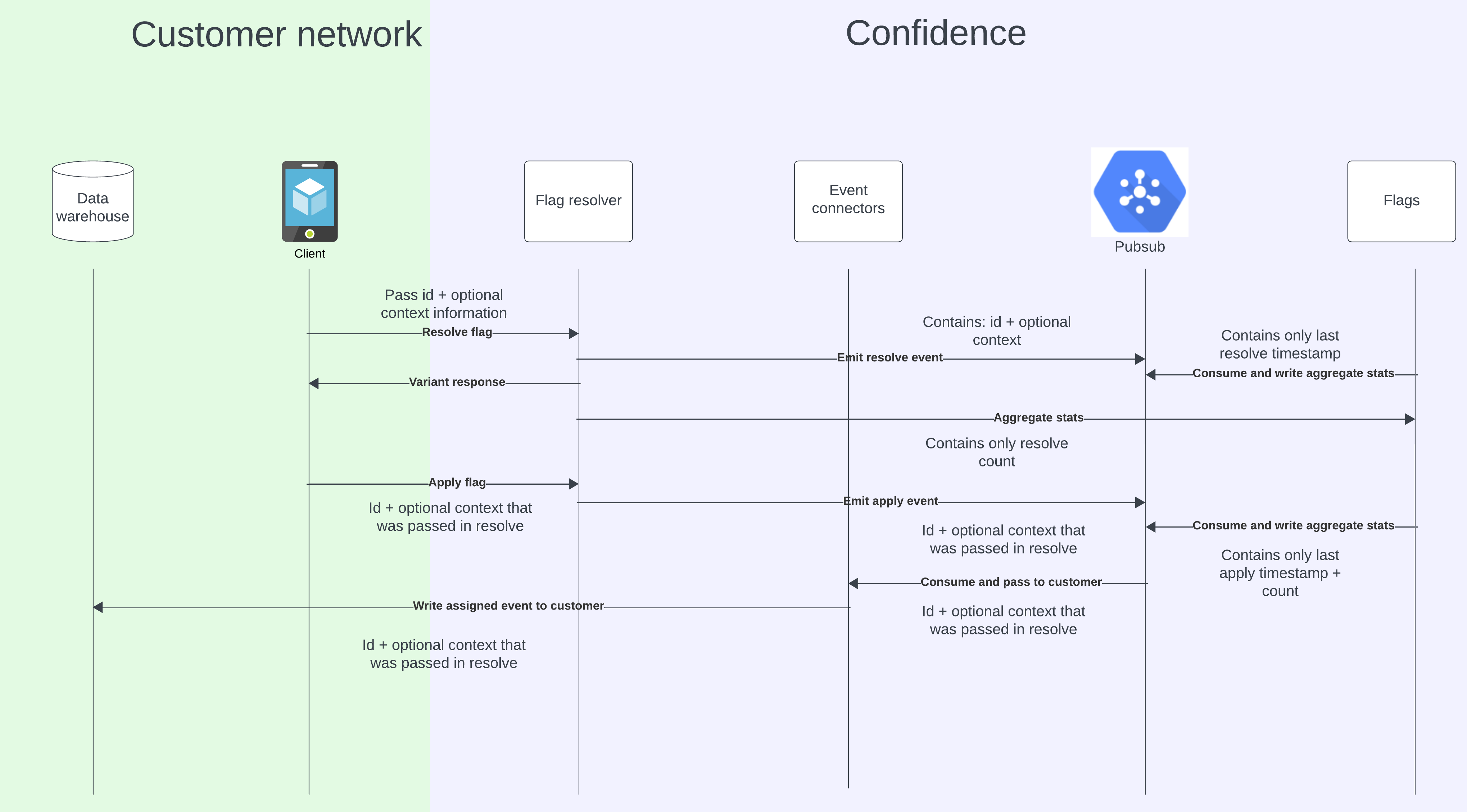
- A client resolves a flag by passing an ID and a context. It receives a variant.
- Confidence passes the ID and context to other internal services, but without storing the ID or the values in the context. It only stores the schema of the context and aggregated information about the number of resolves.
- When the client uses the variant, it also applies it by calling the apply endpoint. The apply event similarly passes through Confidence, but only storing the number of applies.
- Confidence eventually writes the event to your data warehouse. At this point, neither the ID nor the context is present in any part of Confidence.
Self-Hosted Resolver
When using the self-hosted resolver, you operate the flag resolver. The following figure gives more details on how data flows through Confidence Flags in this case, and how the resolver communicates information back to Confidence.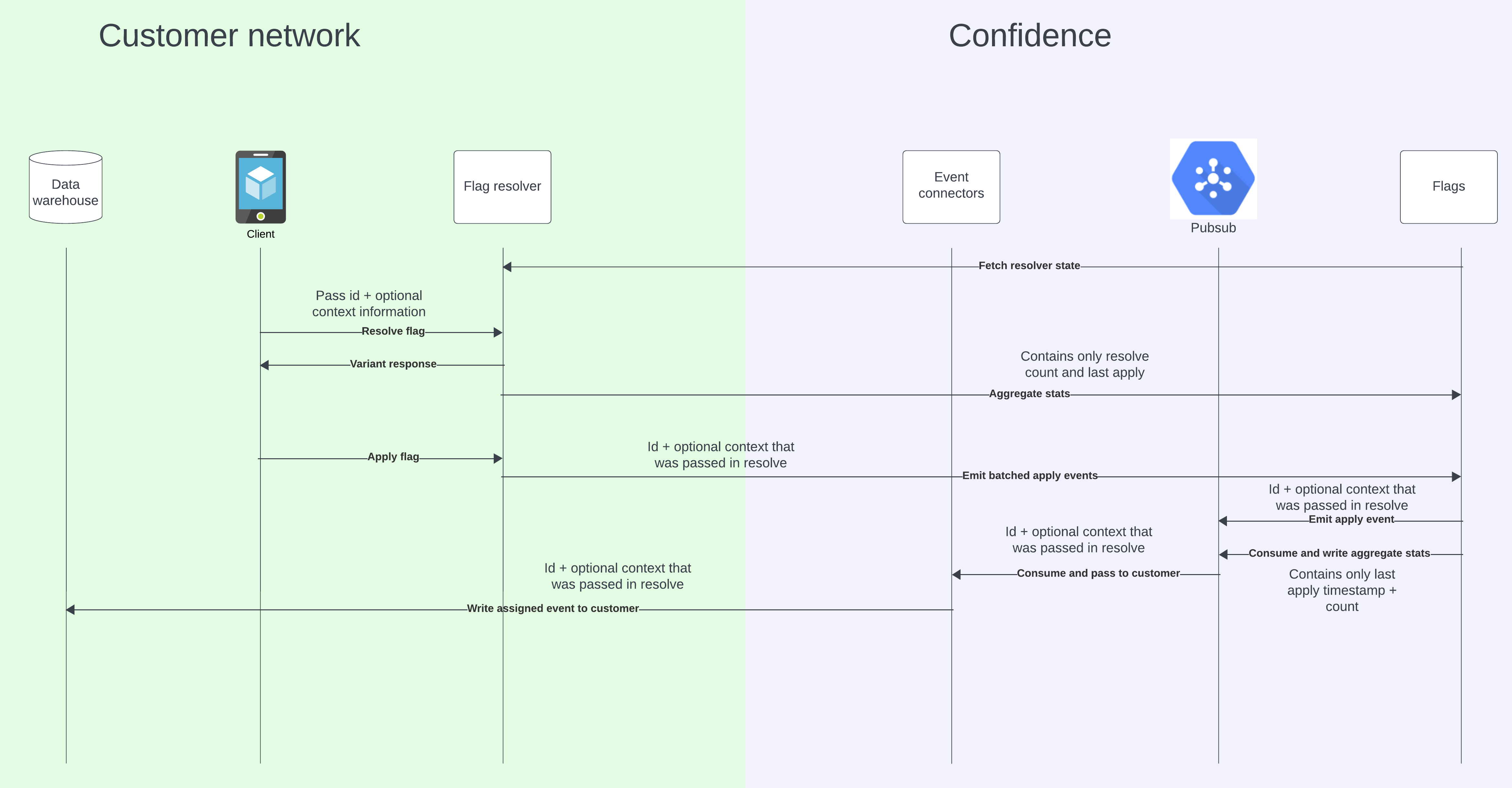
- A client resolves a flag by passing an ID and a context to the self-hosted resolver. It receives a variant.
- At regular time intervals, the self-hosted resolver sends the number of resolves and the schema of the context to Confidence.
- When the client uses the variant, it also applies it by calling the apply endpoint. By default, the self-hosted resolver forwards the apply event to Confidence, which only stores the number of applies.
- Confidence eventually writes the event to your data warehouse. At this point, neither the ID nor the context is present in any part of Confidence.
CONFIDENCE_SEND_APPLY_LOGS to false to keep apply data within your network. The
self-hosted resolver continues to accept apply requests, but doesn’t send assignment events or apply distinct
counts to Confidence. Resolve telemetry, aggregate operational metadata such as the apply request
rate, and resolver-state synchronization remain enabled.
Read how to set up a self-hosted resolver, either as a shared service or a sidecar.
Related Resources
Set Up a Self-Hosted Resolver
Configure and deploy the resolver
Local Resolution Reference
Resolver configuration options
Warehouse Setup
Configure your data warehouse