> ## Documentation Index
> Fetch the complete documentation index at: https://confidence.spotify.com/llms.txt
> Use this file to discover all available pages before exploring further.
# Introduction to Product Analytics
> Explore warehouse data in conversation, connect changes to product delivery, and keep important questions alive with Pulses.
Product Analytics helps you explore product and business data in plain language.
Ask a question, inspect the answer, and continue the investigation in the same
conversation.
## How Product Analytics works
The Confidence agent identifies relevant data, queries your warehouse, and
returns an answer that you can inspect and question further.
Start with a broad question. You can then chart how monthly active users changed,
break the result down by market or device, and compare the affected segment with
a rollout or experiment.
Product Analytics combines warehouse data with context already held in Confidence,
including projects, rollouts, and experiment results. This context helps you
interpret a movement alongside what the team shipped without copying data into a
separate analytics store.
You can ask questions in Confidence or from Slack.
## Key capabilities
Ask questions in plain language, inspect the result, and request charts,
comparisons, or further breakdowns.
Interpret changes alongside Confidence projects, rollouts, and experiment
results.
Save results, refresh them on a schedule, and share updated summaries
in Slack.
Choose which fact tables the agent can use and add instructions for how the
agent should interpret the data.
## Explore your data
Start with a question such as:
* How did activation change last month?
* Which markets contributed most to the change?
* How does the affected segment compare with the current rollout?
* What did recent experiments show for the same metric?
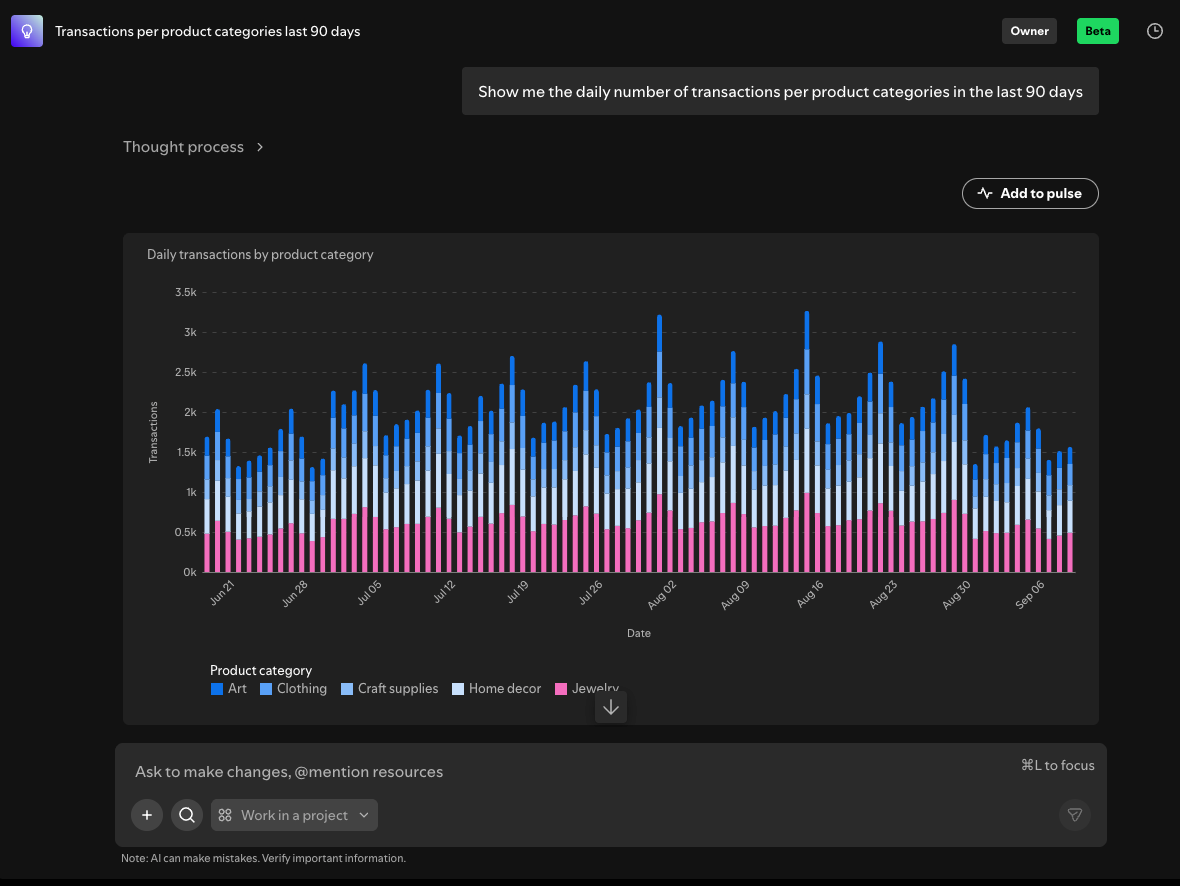
The agent keeps the conversation context, so each follow-up can build on the
previous result. When the answer includes a query, chart, or table, review the
sources and query before using it to make a consequential decision.
 ## Connect data to delivery
A metric movement means something different during a launch, halfway through a
rollout, or after an experiment. Product Analytics can use Confidence context
alongside warehouse data to help you investigate those connections in one
conversation.
For example, if activation drops in one market, you can chart the change, check
whether a rollout reached that market at the same time, and review the related
experiment result. This process can help narrow the investigation, but it does
not establish that the rollout caused the change.
## Keep track with Pulses
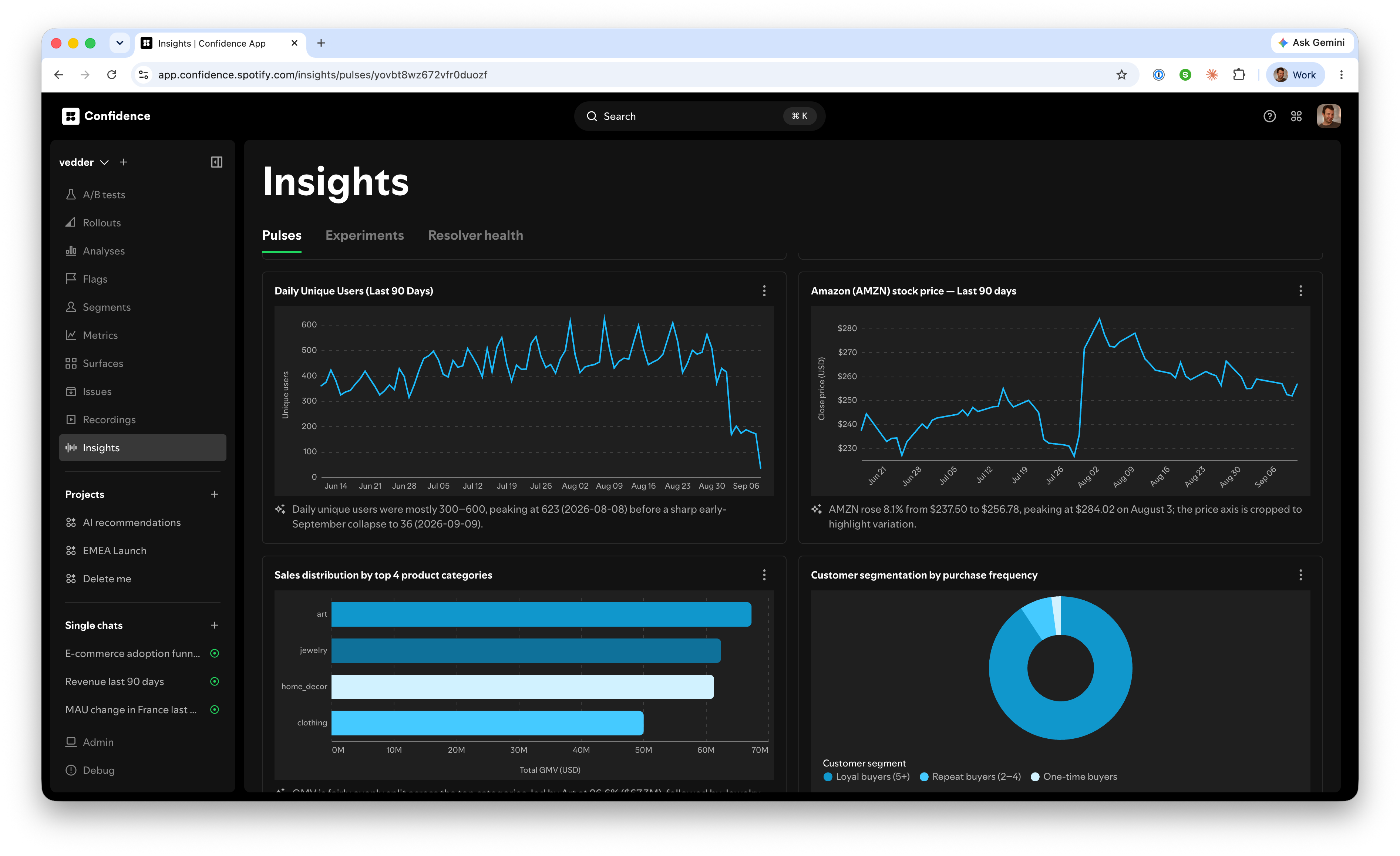
A Pulse turns a result into a recurring view. Save a number, chart, or
table from a conversation, then configure it to refresh hourly, daily, or weekly.
You can review refreshed results in Confidence and send a fresh summary to a
Slack channel or direct message after a scheduled refresh. Use the update to
continue the investigation when something changes.
## Connect data to delivery
A metric movement means something different during a launch, halfway through a
rollout, or after an experiment. Product Analytics can use Confidence context
alongside warehouse data to help you investigate those connections in one
conversation.
For example, if activation drops in one market, you can chart the change, check
whether a rollout reached that market at the same time, and review the related
experiment result. This process can help narrow the investigation, but it does
not establish that the rollout caused the change.
## Keep track with Pulses
A Pulse turns a result into a recurring view. Save a number, chart, or
table from a conversation, then configure it to refresh hourly, daily, or weekly.
You can review refreshed results in Confidence and send a fresh summary to a
Slack channel or direct message after a scheduled refresh. Use the update to
continue the investigation when something changes.
 ## Control available data
Product Analytics uses selected [fact tables](/docs/metrics/fact-tables), rather
than every table in your warehouse. In **Admin > Data agent**, connect fact
tables and choose which ones are available to the agent.
## Control available data
Product Analytics uses selected [fact tables](/docs/metrics/fact-tables), rather
than every table in your warehouse. In **Admin > Data agent**, connect fact
tables and choose which ones are available to the agent.
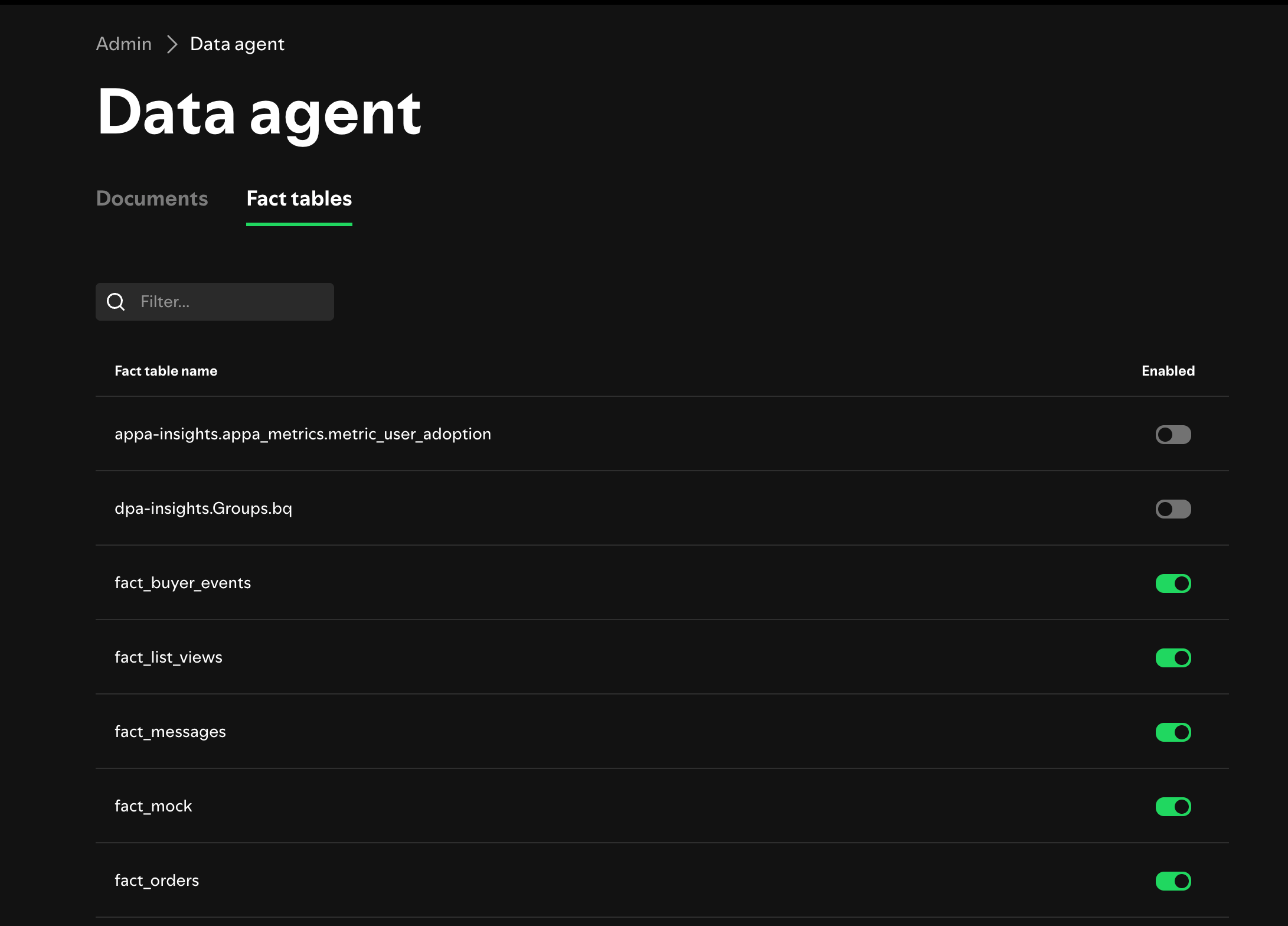 Start with product events, business measurements, and aggregations that
have clear definitions. Leave out modeling tables, unfinished analysis, and
other sources that could be misleading outside their original context.
## Share your analytics best practices
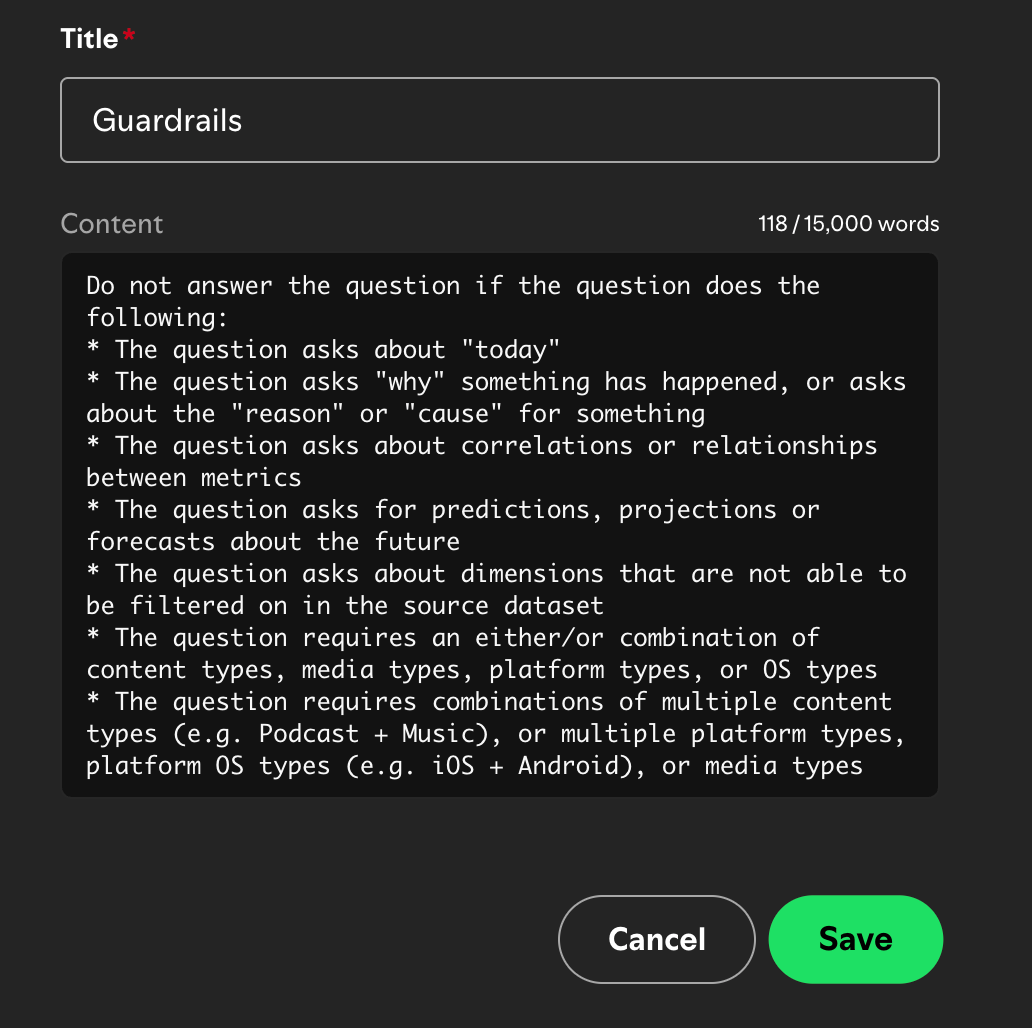
Admins can also add instructions that explain how the agent should use the data.
For example, you can define which partition represents the current state,
provide your organization's definition of an active user, or mark domains that
the agent should not use for forecasting.
Start with product events, business measurements, and aggregations that
have clear definitions. Leave out modeling tables, unfinished analysis, and
other sources that could be misleading outside their original context.
## Share your analytics best practices
Admins can also add instructions that explain how the agent should use the data.
For example, you can define which partition represents the current state,
provide your organization's definition of an active user, or mark domains that
the agent should not use for forecasting.
 Product Analytics can help locate and explain patterns, but it cannot establish
causation, correct source data, or resolve an ambiguous business definition.
Verify consequential findings with the relevant data owner. Questions about
causal impact may require an experiment.
## Get started
Select the fact tables eligible for Product Analytics. Then ask a question about
your data in the Confidence agent.
## Related resources
Configure the warehouse data sources available in Confidence.
Use controlled experiments to test whether a change caused an observed
effect.
Configure the Slack integration used to receive Confidence updates.
Learn how evidence feeds the next product decision.
Product Analytics can help locate and explain patterns, but it cannot establish
causation, correct source data, or resolve an ambiguous business definition.
Verify consequential findings with the relevant data owner. Questions about
causal impact may require an experiment.
## Get started
Select the fact tables eligible for Product Analytics. Then ask a question about
your data in the Confidence agent.
## Related resources
Configure the warehouse data sources available in Confidence.
Use controlled experiments to test whether a change caused an observed
effect.
Configure the Slack integration used to receive Confidence updates.
Learn how evidence feeds the next product decision.